The mythical Year of the Linux Desktop
In search of user-friendliness, make everything harder and complicated.
Published 2026-10-31
The Year of the Linux Desktop
is never happening with the current state of affairs, in fact it already happened 2 decades ago when you could buy Linux software in your local software retailer along with an OEM computer with Linux preinstalled.
Developers (mostly of desktop environments) are stuck in a mentality of trying to make their project more user-friendly
, but what in the end almost always happens is that the result is more complicated, buggier, and most importantly harder to use.
On the other hand, developers of Gnome took it the other way around and make software seemingly as user-hostile as possible and try to convince users that choices are in fact bad as can be seen regularly with the use case?
babble and horrible design choices.
User frustration
What makes a user frustrated? From experience with users on both sides of the computer knowledge spectrum (minimal and power user), it is not the lack of knowledge how to do something that makes people frustrated with software, they'll ask someone or search it on the Internet. It is not even complexity if there is a good reason for the complexity. 3D CAD software is a good example of that, making arbitrary models is complex to describe in a UI, requiring multiple complicated features and actions to achieve the goal. And if the features as a whole are coherent in their use and function properly, the user will embrace the complexity. What makes people frustrated is if you change how something works, remove a feature they've used without an alternative, something is complex for no reason at all or outright does not work. This is UX design 101, yet Linux desktop developers don't really follow it as will be obvious multiple times below.
Basic features still don't work
What any operating system aiming to be a replacement for Windows, or macOS, needs is basic functionality and features that people expect for now over 3 decades. People expect copy-paste to work, drag-and-drop to work between multiple applications, windows to not open in random locations, or application dialog boxes/pickers to be movable without moving the main window. But what people these days find on two of the largest Linux desktop environments (DEs) is that most of these are either broken, or don't work all the time.
Copy-paste doesn't work in certain application combinations, or the clipboard content is lost when the application closes. Drag-and-drop across different applications is a hit-or-miss. Windows open in random locations due to Wayland not allowing for any screen positioning control outside the compositor. Or Gnome having the genius idea of making the about box (and more) move the whole window when a user attempts to move it. In fact here's a nice blog post outlining a lot of the genius ideas current Gnome has: https://woltman.com/gnome-bad/

Don't question ebassi's decisions.
Powerusers considered unimportant
Many of the current and past Linux users came to Linux in search of multiple reasons. The majority of them being one or more of the following:
- choice (how the system works)
- control (so that the choices aren't forced to be changed)
- privacy
- tinker
- escape another degrading OS (stability in theory can be established with the first two)
In other words they are powerusers that don't appreciate not being in control of the system and being told what they can and cannot do. Gnome since version 3 completely abandoned these users and started removing customizability and user control over how the desktop environment (DE) works and feels. This spawned two major forks that are still alive and well today (Mate and Cinnamon). Later when the security cabal (talked about later) started shilling Wayland and deliberately killing X11 for their ideological reasons, even more control and choice was being taken away, using security as a scapegoat. To this day global shortcuts under Wayland don't work properly and need DE specific extensions. Picture-in-Picture detached video still does not work. Accessibility software now needs weird workarounds around the lack of ability to read keyboard input and screen content while Wayland providing none of this functionality. Meanwhile the biggest DEs are quickly going Wayland-only, while it is still not ready after almost 2 decades. Don't believe me? Search for people complaining about weird bugs and lack of functionality when KDE recently removed the X11 session.
No wonder that many of the Linux developers in late 90's up to late 00's left the scene for BSDs or went back to Windows/MacOS.
I wonder what Keith Packard (along with many others) thinks when one of his largest contributions to computing has been deliberately killed for ideological reasons and declared only used by Nazis
by many.
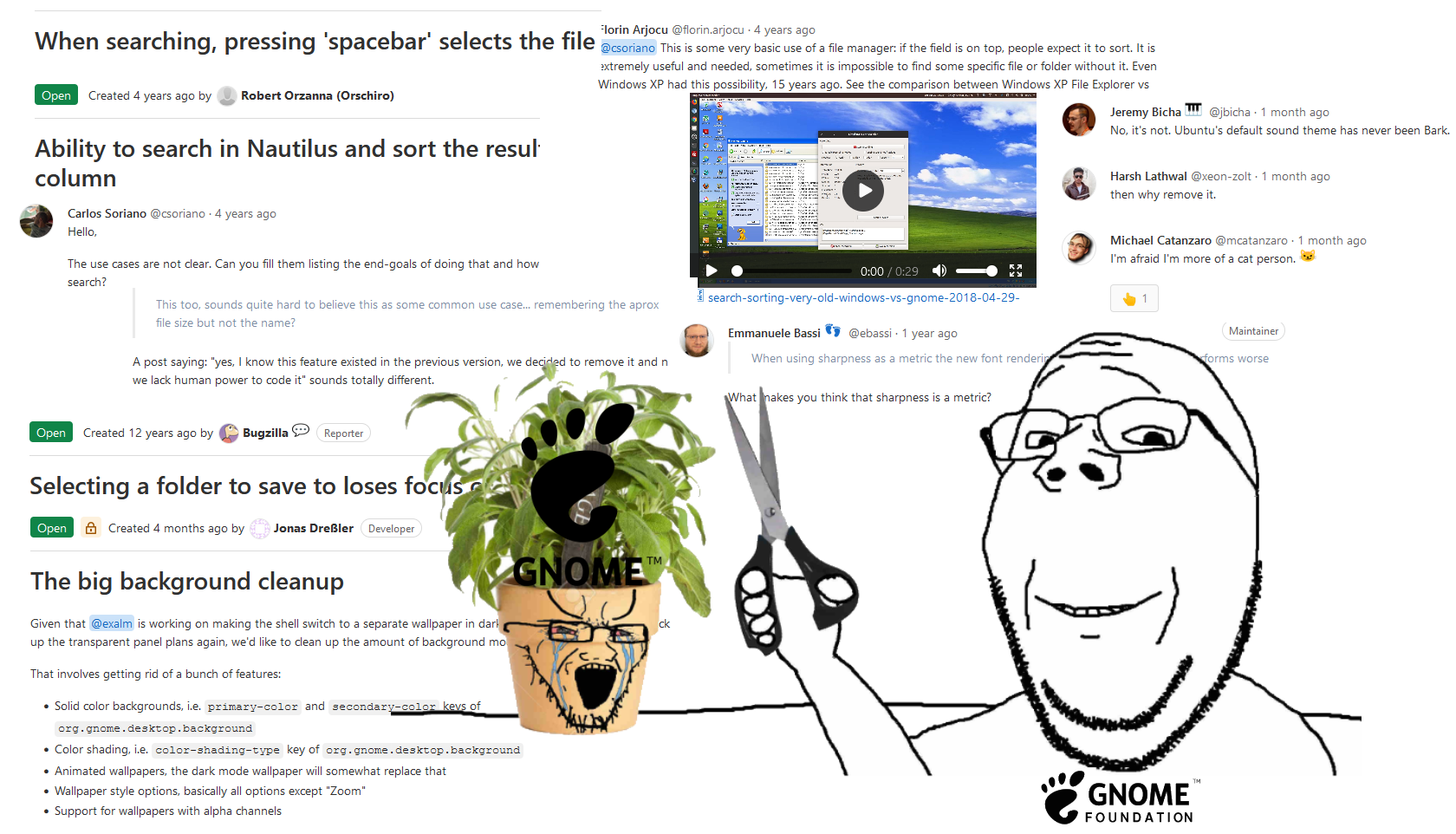
Treat the biggest Linux DE as a tree whose branches need to be constantly cut. What could possibly go wrong.
User friendliness creep
In the name of user-friendliness
Linux desktop developers try to introduce increasing levels of abstractions on top of the base system.
These abstractions are not only in increasing levels of complexity and bugginess, but also increasingly harder to use for the layman despite their goal.
One good example I can think of is the prevalent software store/depot whose only purpose is to make installing software easier than running sudo apt install firefox in a terminal.
All of them fail in their sole purpose.
From preferring crap nobody sane asked for like Flatpaks/Snaps and only falling back to the system package manager when the insane way is not available.
Through marking X11 support as potentially unsafe
.
To making updating your system an incoherent mess with no user feedback that is somehow worse than whatever Microsoft is doing with Windows Update.
The most insane in the end being Canonical and their forceful replacement of deb packages with snaps installed via apt.
There is only one example I can think of that at least passes the system update test, and that is Linux Mint's update manager.
Multiple examples can also be found in the gnomemification of apps where apps now do almost nothing, or hide all of the actually used functionality behind the cancerous hamburger
menu(s) making the user hunt for features through the UI.
Most apps now can be put into either of these categories and not even KDE, previously known for very powerful apps, escaped this.
Just look at Dolphin, where all the features are hidden 3 layers deep in some hamburger-sub-sub-sub-menu by default.
What happened to the sensible UI design pioneered both by Apple and Microsoft where all the options are conveniently placed right under the window title, or the global menu?
Now instead everything must be responsive to window size (because we for sure will be using the same app both on the desktop and on mobile), which makes developers hide all the features by default.
Both of these mentioned design choices were made to simplify the UX in order to make it more user-friendly, but in the end achieved the opposite.
The security cabal
Now that I've said the dreaded word, security, I'll name the projects that make the Linux desktop experience worse than it already is. The list goes as follows: Wayland, Flatpak, Snap, XDG Portals, FreeDesktop Secrets API, D-Bus and more. All of these in the name of security and increasing user-friendliness do deranged things that only someone disconnected from reality can make. D-Bus being the only exception, because it tries to solve a real issue (standardized IPC), but does so in deranged ways.
Wayland
Wayland is the prime example of gnomemification of the Linux desktop. It does things completely differently compared to every other windowing system and as a result intentionally removed features that users expect from a desktop. And it does for a good reason, it was made for embedded systems where windowing is useless, there are no windows. Of course the FreeDesktop people took this as some divine calling and went all in on doing things completely differently, slowly over the last two decades realizing why everyone else did those things the way they did.
Applications having control over where their windows are placed is unsupported on purpose (for increased user freedom of course).
Applications having an idea of what the primary monitor, or being able to select which display to be shown at is deemed unneeded by many.
After all Wayland does not have the concept of a monitor anyway, it's only a canvas of a given size that an app can draw on.
And with the deranged fixation on security, new ways of fixing problems that previously never existed had to be invented.
Flatpak and Snaps
Flatpak is one of those projects that aimed to solve a real issue of universal cross-distro binary distribution for apps and along the way drank the sandboxing kool-aid. The most obvious effect of this is that things are usually broken when installed as Flatpak in many unique ways. Mouse cursors and themes don't work unless a user installs a second copy of them as a Flatpak, or manually punches a hole in the sandbox to allow access to the respective folders where the themes and cursors are located. As a bonus D-Bus is sandboxed and filtered, so certain things like FreeDesktop Secrets that depend on it never work properly without user intervention. Access to devices like microphones and cameras is restricted, screen-sharing doesn't work or randomly stops working after some time (or update).
This is all done in the name of security for the user, but the end result is that using your computer now feels like using a phone with endless permission popups (consequence of XDG Portals) while things are broken. Of course the fact that all of this was already possible with sandboxes user opted-into like Firejail is largely ignored. In fact Gnome yet again in their moment of genius broke manual sandboxes like Firejail, by sandboxing their image processor in bubblewrap (sandbox used by Flatpak), and giving up on falling back to no sandbox when the app was already running in a sandbox. They tried to fix it in a release, but the fix didn't work anyway. To my knowledge this is still broken, but I'm not even going to bother checking whether that is true.
Snaps are basically the same, but instead of being pushed by Red Hat they are pushed by Canonical, the app store backend for them is proprietary and they mess up the output of lsblk.
XDG Portals
Of course since now we've introduced sandboxing users didn't ask for, we now need a mechanism to dynamically punch holes in the sandbox. This is what Portals do, instead of an app opening up a file picker and getting a file path back a new dance ritual has to be done. The app first asks a desktop portal to please open up a file picker, the portal does so and after a user picks a file, give the app only access to that file since it is sandboxed and doesn't actually have access to the full filesystem. This of course is done all over D-Bus, an IPC that is completely unauthenticated and by design fully snoopable.
Since Wayland does not really have a standardized way of indicating desktop-wide settings to applications, Portals gradually also gained such functionality. So now if a user wants actually functional dark mode that is desktop-wide, they now have to set a dark theme, and if they aren't running a desktop environment, also run a separate daemon that registers a portal to tell apps that the user actually wants a dark theme. It basically reinvents one of the very few good things that came out of FreeDesktop, XSettings.
As an insult to developers of window managers and DEs, almost every window manager and DE needs a specific tailored version of a desktop portal specifically for itself, adding development difficulty and reducing code reuse.
FreeDesktop Secrets
This abomination deserves its own small section. While a system secrets store is a good idea instead of applications doing it all by themselves, FreeDesktop, as is usual, did weird things. Namely yet again it (ab)uses D-Bus and has the very nice feature of barely working properly, leading me to disable it system-wide in Gentoo use flags. Why? Because kwallet (the saner than Gnome implementation of this API) barely works outside KDE and Signal every few weeks after some update would fail to decrypt its message database, leading to loss of history (before the implementation of history syncing in Signal). Magically after disabling this badly executed good idea, things never break.
Before I even hear the words: Sandboxing is better for users and increases security for most of them.
Firstly, here's a thought, maybe don't run apps you don't trust enough to not need a sandbox in the first place.
Secondly, we already had a solution to that, it is called Firejail.
Thirdly, do I control the system, or does someone else have a say in how I use my computer? I didn't ask for this. I don't want my computer to feel like using a phone.
A return to slightly more sanity
I don't think it is particularly untrue that the Linux desktop worked better many years ago, although comparing broken to more broken isn't great. Certainly when I first switched full-time ~8 years ago, I didn't have almost any problems really. But another thing that I took seriously when switching was the Luke Smith levels of minimalism meme, using terminal programs and minimal GUIs as much as possible. I was sort of forced into it since my computer at that time could hardly handle a full-blown DE, so instead I went with tiling window managers to compliment the minimalist software.
This turned out to be a very good idea in retrospective, because none of the Linux desktop issues common now affect me; things mostly work (except copy-paste to Electron apps from qutebrowser being half-broken) and I don't have to deal with any of the drama.
The configs I made 8 years ago still work with a few exceptions I could count on one hand (picom being the only one I can think of).
The software I use has not really changed over the years, it still works the same.
My patches to st and dwm still serve me well and both just work.
I don't need to care about insert drama in popular Linux DE, all of it is just background noise that doesn't affect me.
Another side-effect of this choice is that I'm not tied to Linux in any way. When the Wayland shills remove X11 support from Mesa, or some other major library that cannot be replaced on Linux, I can move to any of the BSDs with nearly zero changes in software. Meanwhile if you are a Gnome user, you are tied to Linux. KDE has been on the Linux-only path for a while now as well with only supporting systemd in at least two of their core projects.
If you have time and mood to tinker with computers over the weekend, trying out to install some minimal window manager (tiling or not) and setting it up to be usable is something I can recommend. Because once set up, the chance of something breaking or changing in behavior over multiple years is way smaller than with any DE. And as a bonus, you won't be at the whims of a few irrationally thinking developers. If some project goes sideways, it is now way simpler to replace it with something else than parts of a DE, or the DE as whole.
Related posts
While writing this, I was either reminded of, or remembered the following somewhat relevant posts of varying age in no particular order:
- The idiot box Linux - Tuomo Valkonen
- A Generation Lost in the Bazaar - Poul-Henning Kamp
- Linux is a dumpster fire — somebody call the fire department - Tuomo Valkonen
You can comment on this rant on the Fediverse: https://fluffytail.org/objects/cd6c05d4-dab0-4554-8eff-4378ed9dc085